beyond bullet points – Create Top PowerPoints

learn to create effective slides in PowerPointReview: by Gregory West
gregory@alternatecloud.com
VP of the Sarnia Computer Users’ Group
scug.ca
APCUG Advisor apcug.net

beyond bullet points
by Cliff Atkinson

Published by Microsoft Press
ISBN- 978-0-7356-275-2
Pages: 330
USA: $29.99 / CDA: $34.99
Websitehttp://bit.ly/beyondbulletpoints

All of us have had, or were forced, to sit through a PowerPoint presentation wishing we were somewhere else. The speaker was so boring, the presentation slides were cheesy and extremely confusing, and our insides screamed for us to get up and leave the room.

Beyond bullet points is designed in such a way that this will never happen when you give your next presentation. This book takes us through the proper steps in creating  the most interesting and very definitive presentation possible. Here is where we learn the importance of telling a story with our slides. Layout is another import issue that is fully covered in Chapter 4: “Planning Your First Five Slides”. This is where you learn how to grab your audience right away and keep them focused on your presentation.

You will learn why graphics are so important and how they can make or break a presentation. Chapter 8 is where the fun begins as you learn how to  add graphics to various areas within your slides. You will learn how to use the graphics you already have on your computer, and how to get graphics from “Stock Photography Web Sites”.

Your PowerPoint presentation comes together in Chapter 9: “Delivering Your…Presentation”. The amateur presenters are separated from the professionals. This chapter prepares you for the delivery of your presentation. Here you are shown the basic ground rules for removing distractions, prompting a dialogue and how to enhance your presentation effectively.

A real treat is found in Appendix A where ground rules and checklists act as an overview  ensuring you have created a very professional presentation.

Added features: This book comes with website links for “Companion Content” with key tools and a bonus Chapter 11, introducing a “Visual Improv”, PDF version of the ground rules and checklists. You also get a voucher for your free online version of this book. For anyone who is serious about their presentations, this book is a keeper.

A New Year – A …

A New Year – A New Column
Introducing “APP Yap”

by Gregory West

Are you ready for change? I am introducing a “smart phone” section in this column, along with the current computer tips talk. This column will be in two parts: Computer Tips and APP Yap. APP Yap will cover all things “smart phone” APPs (software applications for the phone).

Computer use is changing rapidly. In 1970, futurist Alvin Toffler wrote his book: “Future Shock” and in it he discussed the “rate of change” and that people would not be able to handle the many new advancements. He stated there would be “too much change in too short a period of time”.

Well, I don’t know about the “too much”, but I believe we have handled change quite well, from monster computer desktops to thin Macbook Air laptops to touch-screen tablets and now to smart phones that can do much more than your computer and then some.

My prediction for 2012: Cloud computing will make a huge appearance in 2012. Smart phones will be everywhere and people of all ages will be on them. Everyone will understand the “Cloud”, unless live in a cave on the South Pacific island of Niue. We will be a truly “connected” society, online, and in the cloud. My very first presentation on “Cloud Computing” was to the Sarnia Computer Users’ Group (scug.ca) and Lambton Toastmasters back in October of 2008 (http://bit.ly/scug-cloudcomputing). 

COMPUTER TIPS: Protect your laptop. Do not drink or eat near it…you do not get a second chance on spills – I know first hand! Do not run your laptop HOT. Videos and games increase the heat on your laptop and can quickly cause major problems in extended periods of time. Learn more about how to monitor the temperature of your laptop and get a free gage: (http://bit.ly/watchtemp) for both MACs and PCs.

What if your laptop is stolen? Get yourself a free program that can locate your computer’s exact  location on a map, take a picture of the thief while they are using your computer and also take a screen shot of what the thief is looking at on your computer. As well, you can set a siren to go off every twenty minutes to drive the thief nuts. This is an amazing free tool to help you find who stole your laptop and where it is right now! Go here to get your free program: http://preyproject.com – make sure you watch the how it works video.

APP Yap: GET READY FOR THE APPS STORES WARS
If you are like me and are new to the iPhone make sure you check out APPLE’s iPhone website to get yourself going: http://www.apple.com/iphone/features/
APP Yap is a new part of this column and like before please send in your own tips and questions about iPhones and apps for other phones as well. Don’t forget other app stores for your computer too:
Google: http://bit.ly/appsforgoogle
Apple’s Computer apps store: http://www.apple.com/mac/app-store/
Microsoft’s new Apps store challenges Apple: http://bit.ly/microsoft-apps
Don’t forget to keep emailing your questions and answers…Next month should prove very interesting in the world of APPS. You can also visit 

Gregory can be reached at: gregory@alternatecloud.com
Visit the free website for 50+ learning computers: http://alternatecloud.com
Free Basic Computer Help Workshops: Grace United Church – 519-542-1203

Free computer & tech help for seniors

Computer & tech help for seniors

Computer & tech help for seniors

GEEK CRUISE January 2012

geeks at sea

GEEKS at SEA

GEEKS @ SEA can you imagine?

computer convention at sea

The Florida Association of Computer User Groups (FACUG) is presenting its Third Technology Conference@Sea January 23, 2012 to Friday, January 27, 2012. APCUG plans to team up with FACUG and hold the 2012 Annual Meeting on the cruise.

There is no better vacation bargain than a cruise and no better cruise bargain than this one. Add to it a full-fledged Computer and Technology Conference on the high seas, add an Association of Personal Computer User Groups component (APCUG) and it becomes an outstanding event not to be missed. Do you want to be part of FACUG’s 3rd annual Conference@Sea on what promises to be another outstanding Sail-a-bration.

The cost of the 5 day/4 nights (interior cabin) is $249/person + tips including the FACUG $45 early-bird incentive refund; ocean-view is $299/person + tips. The Technology Conference Bahamas Cruise will be on the Norwegian Sky: Sailing on Monday, January 23, 2012 to Friday, January 27, 2012. FACUG is doing the work and dealing directly with Norwegian Cruise Line, since no travel agent allows us to offer this outstanding rate and some amenities.

Sailing from the Port of Miami, calling on the Grand Bahamas Island, Nassau and Great Stirrup Cay then returning to the Port of Miami. The $249 rate includes fare, port charges and taxes minus $45 early-bird refund. This offer is valid only for conference attendees until May 15 or until we run out of cabins allocated to us; whichever occurs first. The Technology Conference@Sea registration fee is $75 ($100 for non-members). The first person in the cabin must be a member of an FACUG or APCUG club and $25 for the second person, who need not be a club member. Included in the conference fee are many extra perks, including a Welcome Bag full of goodies, two Meet & Greet cocktail parties which were a big hit last year and a few additional surprises.

There will be buses from several locations around Palm Beach County to the Port of Miami and back for about $15/person each way. We will look into buses from other points in Florida if there is sufficient demand.

Last year, we had 175 occupied cabins with 350 people. After the cruise, a survey was taken and 3/4 of the responders, including spouses, rated the event an “A”. It was called a great balance between conference time and party time. Ask your friends who were there.

If you are interested in sailing with us at the above early-bird rates, you first need to go to the FACUG website (www.facug.org) to register for the conference. You will then be directed to NCL directly, using the access information on the website to book your cabin. Remember, May 15 is the deadline whereby a $100/person deposit, will hold your cabin. It is refundable until 70 days prior to sailing. The balance is due 90 days prior to sailing. So get on board now and click this link www.facug.org to start this wonderful journey.

Our ship

Imagine this conversation 15 years ago…

"Use anti virus software for safe computing."

"Use anti virus software for safe computing."

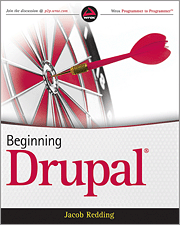
Beginning Drupal – an amazing book!

Review: by Gregory West
gregory@alternatecloud.com
VP Sarnia Computer Users’ Group
CEO AlternateCloud.com

Learn Drupal the easy way

This book is a must have for everyone webmaster

Beginning Drupal

by Jacob Redding
Published by O’Reilly Media Inc
ISBN: 978-0-596-80660-6
Pages: 480
Formats: ePub, Mobi
Price for eBook: $25.99

There is no question that Drupal web creation software has a steep learning curve. I personally can vouch for this statement. While in the very early days of learning Drupal I quickly came across a stumbling block where I found myself stuck. I could not create links to any of my webpages.

I have taken online Drupal courses, checked out YouTube video tutorials and I regularly visit the Drupal community and its forum for ideas and help. This time, even with the help on a fellow Drupal user in the forum, I came close to fixing my problem, however I just did not understand what it was the forum people were suggesting.

Armed with a bit on knowledge know, I opened up Redding’s “Beginning Drupal” book, went to the third and fifth chapters with the ease of keyboard click in this eBook and there it was…Step-by-step to get me back on track with my website using Drupal.

The book itself is very well laid out for beginners like me who know very little about Drupal software. The author explains this book is for “people who want a robust website and are not afraid to get their hands dirty.” The book begins with a history and full explanation of what exactly Drupal is and where you can get extra help. From there Chapter 2 takes us right into the install stage. The final chapters cover advanced topics and a “preflight checklist” to ensure you are on track.

What I really enjoy about this book is two-fold. The first is at the beginning of each chapter is a list of “What you will learn” and at the end there is an exercise of questions to make sure you got what the author was explaining. Also, there is a final statement of “What you have learned in this chapter.”

This book is well thought out and is the perfect reference book to keep beside your computer as it is definitely geared to ensure your Drupal journey is a smooth ride.

FREE Kindle eReaders Available Online

FREE Kindle eReaders Available Online
“Turn Your Computer Into an eReader”

by Gregory West

It just keeps on getting better in Cyberspace!

“WOW,” I hollered  when I learned I could get a free app (software program) that turns my computer into the Kindle eReader. It was a fluke coming across this beauty.

I ordered a technology book to review from OReilly Media. Usually my review books get emailed as a PDF or a real paper book. This particular book came as a an attachment in an email that my computer did not recognize, nor open. I tried and tried to open the file without success. Finally, after emailing OReilly’s back, they explained about the free app to run the Kindle eReader on a computer.

Marsee Henon, from O’Reilly Media (www.oreilly.com/ebooks), explained that “our ebooks work not only on a Kindle, but also on the Kindle app offered on Macs, PCs, iPads, and other devices.”

At first I didn’t believe it would actually work. I clicked to the amazon website (listed below) and downloaded the program, all the while, still thinking it probably won’t work. Even when I had the program downloaded, it wasn’t until I clicked on the ebook attachment in OReilly’s email when a miracle happened. The ebook opened on my computer and I had my very own Kindle on my laptop. Amazon also through in several free books too. Yeah!

Marsee sent me the links (listed below) for the free download. If you have a Windows computer less than 12 years old, or a Mac computer with an Intel chip, you should have no problem using your computer as a Kindle eReader. You can check the required specs on the following websites.

Choose one of the links below and download the Kindle app for your computer.

Windows PC computer users:

http://amzn.to/windows_kindle

Mac computer users: Snow Leopard and Lion
http://amzn.to/snowleopard_lion_kindle

Mac computer users: Leopard
http://bit.ly/leopard_only

The Kindle application for your computer offers many functions, “including functionality such as zoom and pan, highlighting, note taking, dictionary lookup, and bookmarks,” according to Amazon.com.

Once you get your free Kindle eReader app  visit the Project Gutenberg (www.gutenberg.org) where there are over 30,000 book titles. These books are free as the copyrights have run out. There are some real gems to be had here. Treat yourself this free eReader; you will be amazed with this easy-to-use technology. I know I enjoy my new free Kindle.

PROBLEM – Last month a reader emailed me that he had a problem after downloading the anti malware program (Superantispyware.com) I wrote about in the June issue called: “Make Your Computer Run Brand New Again”. He said the program worked fine then “it began asking for $19.95”. He also said he had an difficult time trying to remove this program.
SOLUTION -After several emails and a telephone conversation it was discovered this reader clicked the “UPGRADE” button. This took him away from his free version to the paid version. Moral of the story: Be careful what you click. “UPGRADE” usually means a better program and one that costs. The reader was thinking he was getting an “UPDATE”. Therein lies the difference: UPDATE is when a program fixes or makes it better or safer to use. UPGRADE is taking you to the paid version.

PROBLEM -  Another reader said his computer had a virus. This nasty thing disabled his anti virus program and he could not get rid it. The virus warned him if he paid for their anti virus his computer would be fixed. His computer had been “hijacked” and he was being held for ransom. This is quite common and usually simple to fix.

SOLUTION – I told the reader to start his computer in “SAFE MODE”, then run his own anti virus program. This caught the nasty virus, deleted it and now he is a happy computer user. Be careful what you click on in Cyberspace…It may cost you!

If you have a computer problem or a great tip, please pass it along to Greg at First Monday and he will post it in the next issue.

Gregory can be reached at: gregory@alternatecloud.com
A website for Seniors learning technology: http://alternatecloud.com
For more tips visit his Blog: http://gregorywest.wordpress.com
Free Computer Help Seminars: Grace United Church – 519-542-1203

Follow

Get every new post delivered to your Inbox.